A restaurant menu is more than a list of dishes and prices. It introduces your food, communicates your brand, helps customers make decisions and influences how they experience your restaurant.
Yet many restaurant owners face the same problem. They have one menu designed for printing, another PDF shared on WhatsApp, a QR code linked to an outdated file, and perhaps a separate digital menu on their website. Whenever a dish changes or a price increases, someone must update multiple versions.
This creates unnecessary work, additional design costs and opportunities for mistakes.
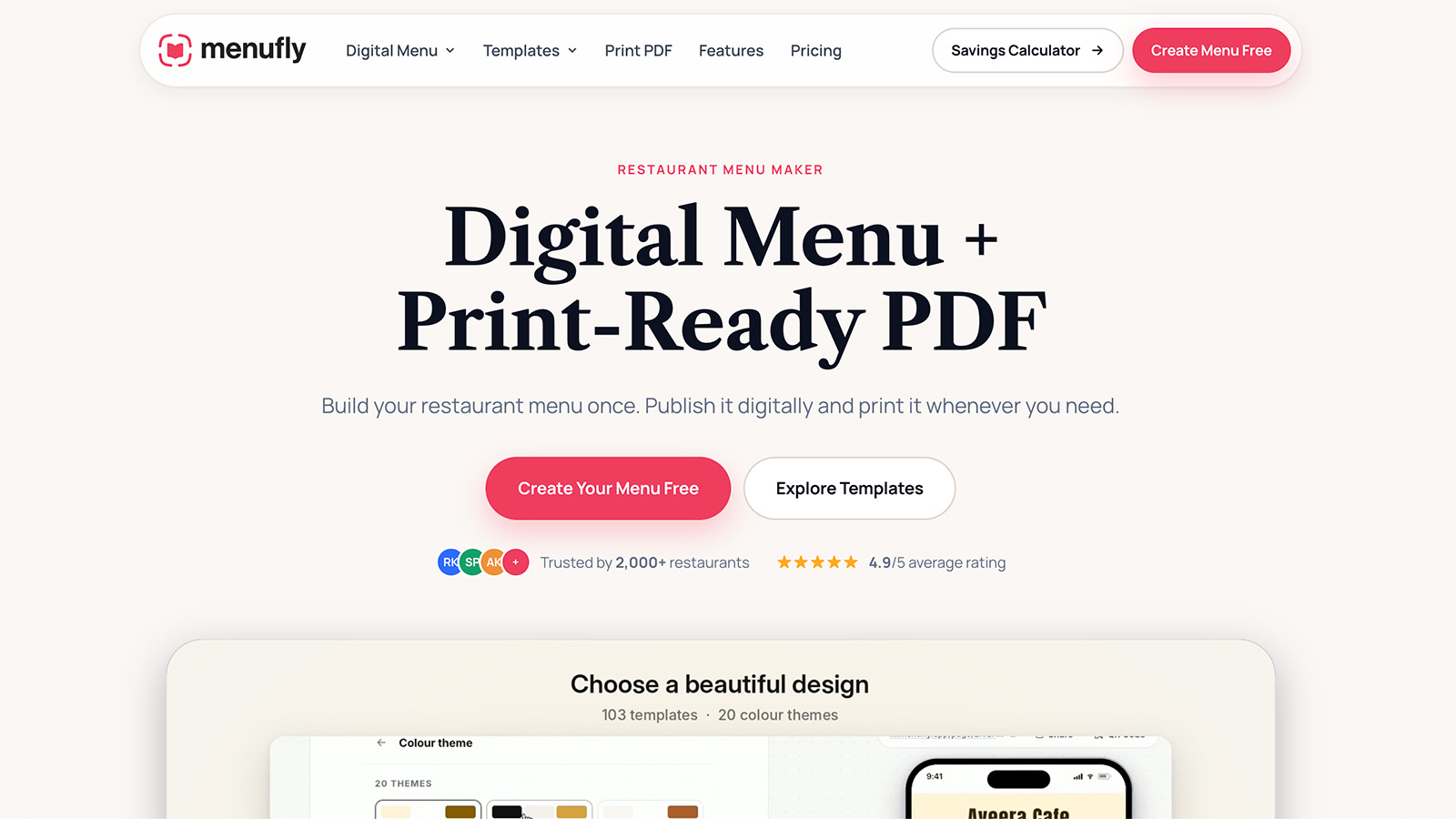
MenuFly.app was created to solve this problem: build your restaurant menu once and use it for digital, QR code and print formats.
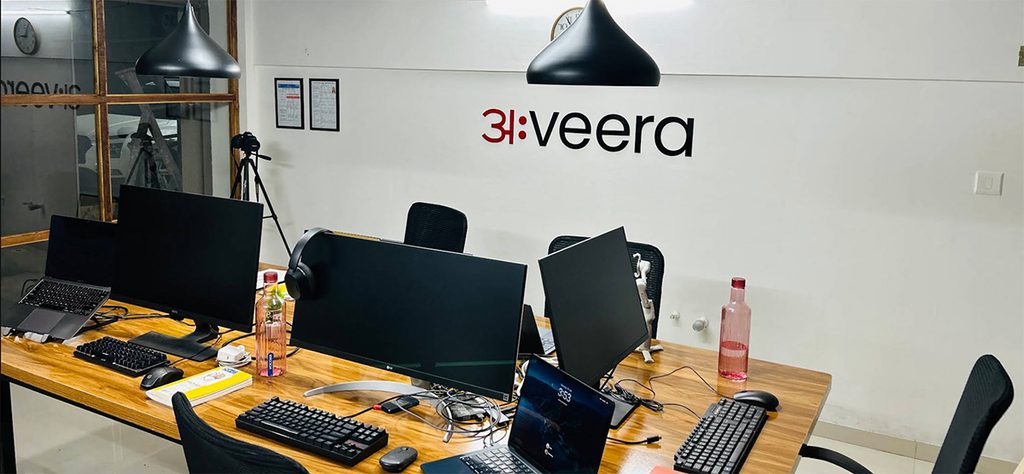
Developed by Aveera Design Solutions, MenuFly brings together our practical experience in graphic design, restaurant menu design, visual branding and commercial printing in an online menu-making platform. After more than 15 years of working with design and print projects, we recognised an opportunity to make professional menu creation more accessible to restaurants, cafés, bakeries and other food businesses.
The idea is straightforward: restaurant owners should be able to maintain a professional menu without paying for a complete redesign every time a dish, price or offer changes.
With MenuFly, you can create a mobile-friendly digital menu, share it through a QR code, and generate a print-ready PDF from the same menu information.
Explore the MenuFly online menu maker.
Why We Built MenuFly: Lessons From 15+ Years of Design and Printing
At Aveera Design Solutions, we have seen how much thought goes into producing a restaurant menu that works in the real world.
A menu must look attractive, but it must also be readable under restaurant lighting, organised logically, easy to update and suitable for its intended printing format. Food photography, typography, spacing, paper quality, binding and colour choices all affect the final result.
We have also seen a recurring challenge: even a well-designed menu becomes expensive to maintain when its content changes frequently.
Imagine a café that updates its coffee prices, introduces seasonal drinks and removes a few unavailable items. If the café maintains separate digital and printed menus, every change creates another task. If a designer must make each update, the restaurant may also face additional design charges and delays.
The original design is only part of the cost. Maintaining it is an ongoing responsibility.
That experience led us to develop MenuFly.
Instead of treating a menu as a collection of disconnected design files, MenuFly treats it as structured menu information that can be used across different formats.
Our goal is to combine professional design principles with a simpler menu-management workflow, helping restaurant owners spend less time maintaining files and more time running their businesses.
What Is an Online Restaurant Menu Maker?
An online restaurant menu maker is a tool that lets you create and manage a restaurant menu using a web-based platform instead of building every page manually in graphic design software.
Depending on the platform, you can add dishes, descriptions, prices, food photographs, categories, restaurant branding and other information. You can then publish a digital version or export a file for printing.
A good restaurant menu maker should do more than arrange text on a page. It should help you maintain consistency, make changes efficiently and produce a menu that suits the way your customers order.
MenuFly is designed around three connected outputs:
- Digital menu: A mobile-friendly menu that customers can open in their browser.
- QR code menu: A convenient way for guests to access the live menu by scanning a code.
- Print-ready menu PDF: A file you can prepare for professional printing or physical menu folders.
The important difference is that these formats can be generated from the same menu information, rather than maintained as separate projects.
1. Create a Digital Menu for Your Restaurant
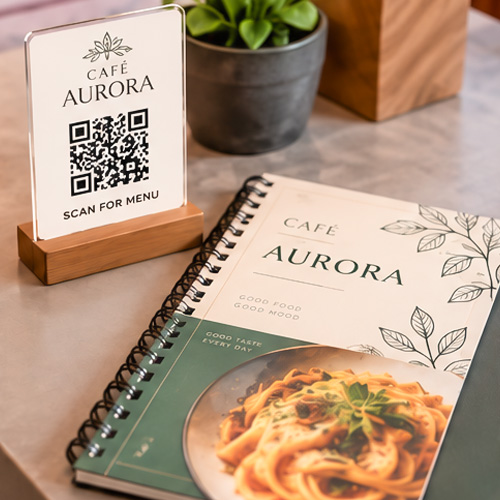
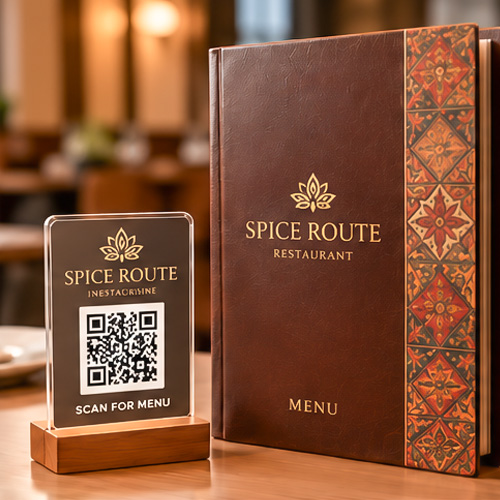
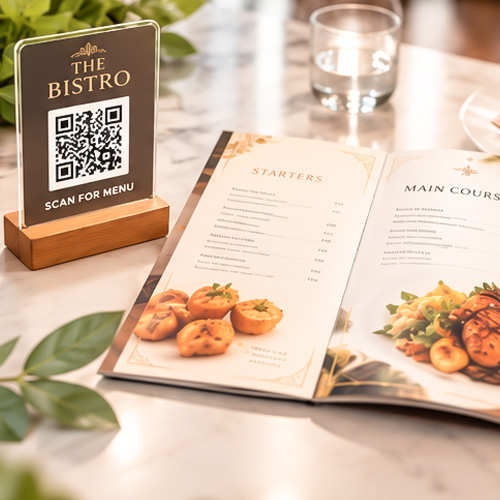
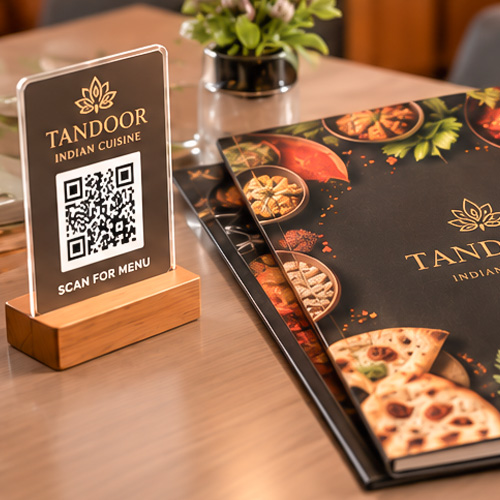
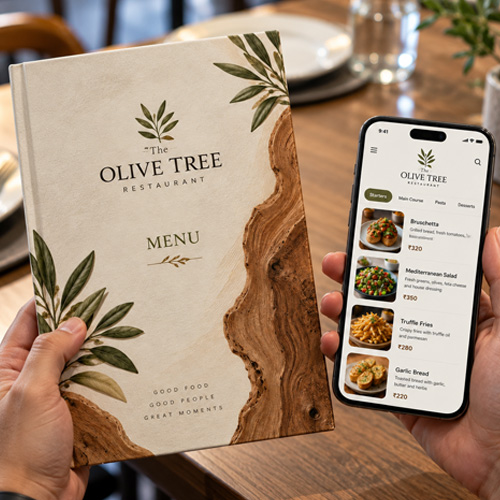
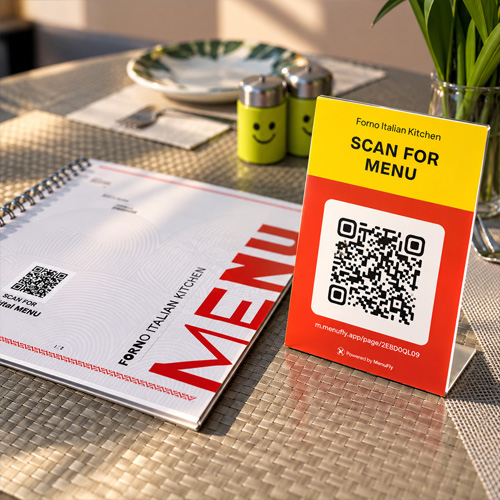
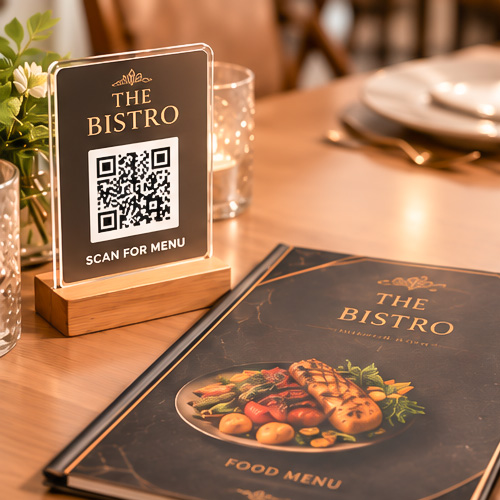
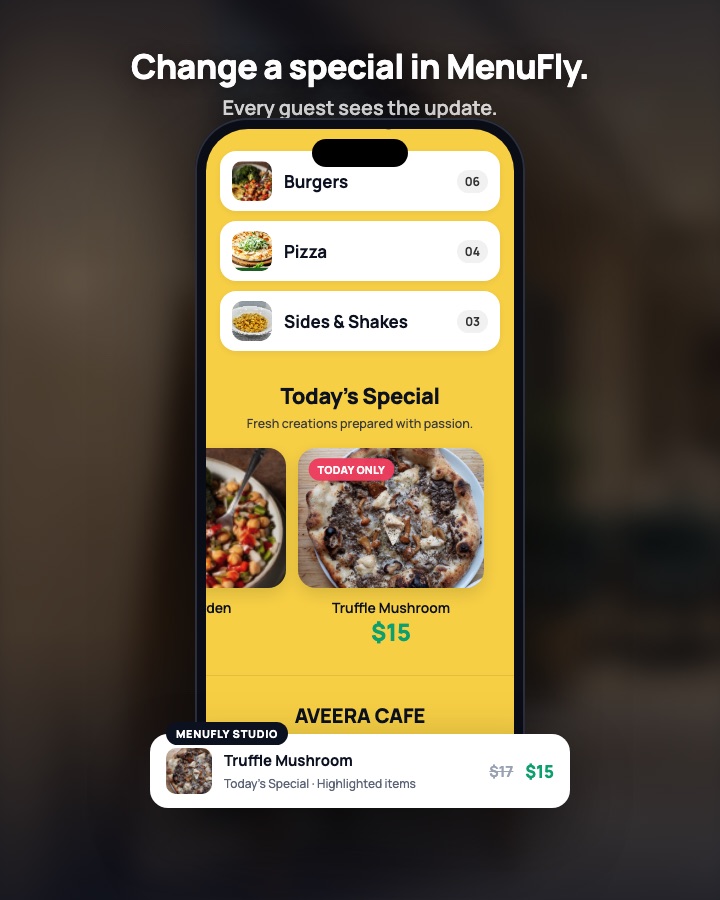
A digital restaurant menu allows customers to browse your dishes on their phones without downloading a dedicated application.
Customers can open the menu using a shared link or a QR code placed on a table, at the entrance or on takeaway packaging.
A well-designed digital menu should make it easy to answer the questions customers care about:
- What dishes are available?
- What does each dish cost?
- Which items are vegetarian or non-vegetarian?
- What are the ingredients or portion details?
- Which dishes are popular or recommended?
- What specials are available today?
MenuFly supports mobile-friendly menus with categories, dish photographs, prices, descriptions and restaurant branding. You can also organise featured dishes and other menu elements to help customers navigate the options.
Why mobile menu design matters
A printed menu and a digital menu do not need identical layouts.
A printed booklet may use two columns to fit more information on a page. On a phone, those same columns can become cramped, forcing customers to zoom in or scroll horizontally.
For digital menus, use clear category navigation, readable text, concise descriptions and photographs that help customers understand the dishes. Avoid placing every item on one enormous page without a clear structure.
For example, a café might organise its menu into:
- Hot Coffee
- Cold Coffee
- Tea
- Breakfast
- Sandwiches and Wraps
- Pizza and Pasta
- Desserts
This structure helps customers reach the section they want instead of searching through unrelated items.
Expert recommendation: Design for the customer holding a phone in one hand. If customers must repeatedly zoom in, search for prices or struggle to find categories, the menu needs improvement.
Explore MenuFly’s digital menu maker.
2. Turn Your Restaurant Menu Into a QR Code Menu
QR code menus provide a simple way to connect a physical restaurant table with an online menu.
A restaurant prints a QR code on a table tent, sticker, poster or other suitable surface. Guests scan it with their phone camera and open the menu in their browser.
The main advantage is not simply that the menu is digital. It is that the restaurant can update the destination without replacing every printed QR code, provided the code continues to point to the same live menu URL.
How a QR menu works
- Create your digital restaurant menu.
- Publish the menu online.
- Connect or download its QR code.
- Print the code on table cards, posters or takeaway materials.
- Update the menu whenever dishes, prices or availability change.
Suppose your restaurant sells a paneer pizza for $12. You later increase the price to $13.
With a live digital menu, you can update the price in your menu dashboard. Customers who scan the existing QR code will see the published update without requiring a replacement code.
This is particularly useful for restaurants with frequently changing prices, seasonal dishes, rotating specials or multiple menu categories.
QR menu mistakes restaurant owners should avoid
Making the QR code too small: Customers should be able to scan it comfortably from their normal seating position.
Providing no instructions: Add a clear message such as “Scan to View Our Menu.”
Linking to an outdated PDF: Make sure the code opens the current menu, not a file that must be replaced every time prices change.
Making the menu difficult to read: A QR code does not solve a poor menu layout. The page that opens must still be readable and easy to navigate.
Removing every physical menu: Some guests prefer paper, have low phone battery or do not want to scan a code. Keeping a few printed menus is a sensible option.
A QR menu works best when it improves convenience without making the dining experience unnecessarily complicated.
3. Create a Print-Ready Restaurant Menu PDF
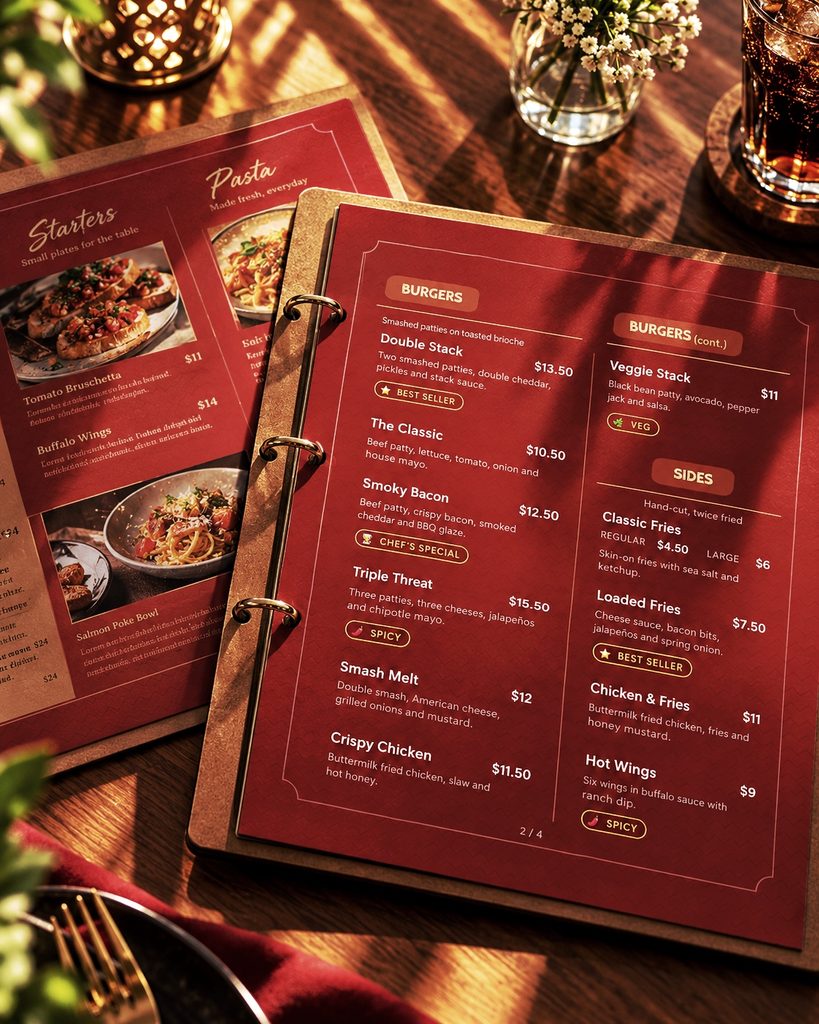
Digital menus are useful, but physical menus remain important in many restaurants.
A premium dining room may use a leather menu folder. A café may prefer a compact laminated menu. A takeaway counter may need a single-page menu, while a family restaurant may require a booklet.
Each format has different design and production requirements.
One of the most common printing problems is assuming that a menu that looks good on a computer screen is automatically ready for commercial printing.
It may have low-resolution photographs, missing fonts, incorrect page dimensions or backgrounds that do not extend far enough beyond the cutting edge.
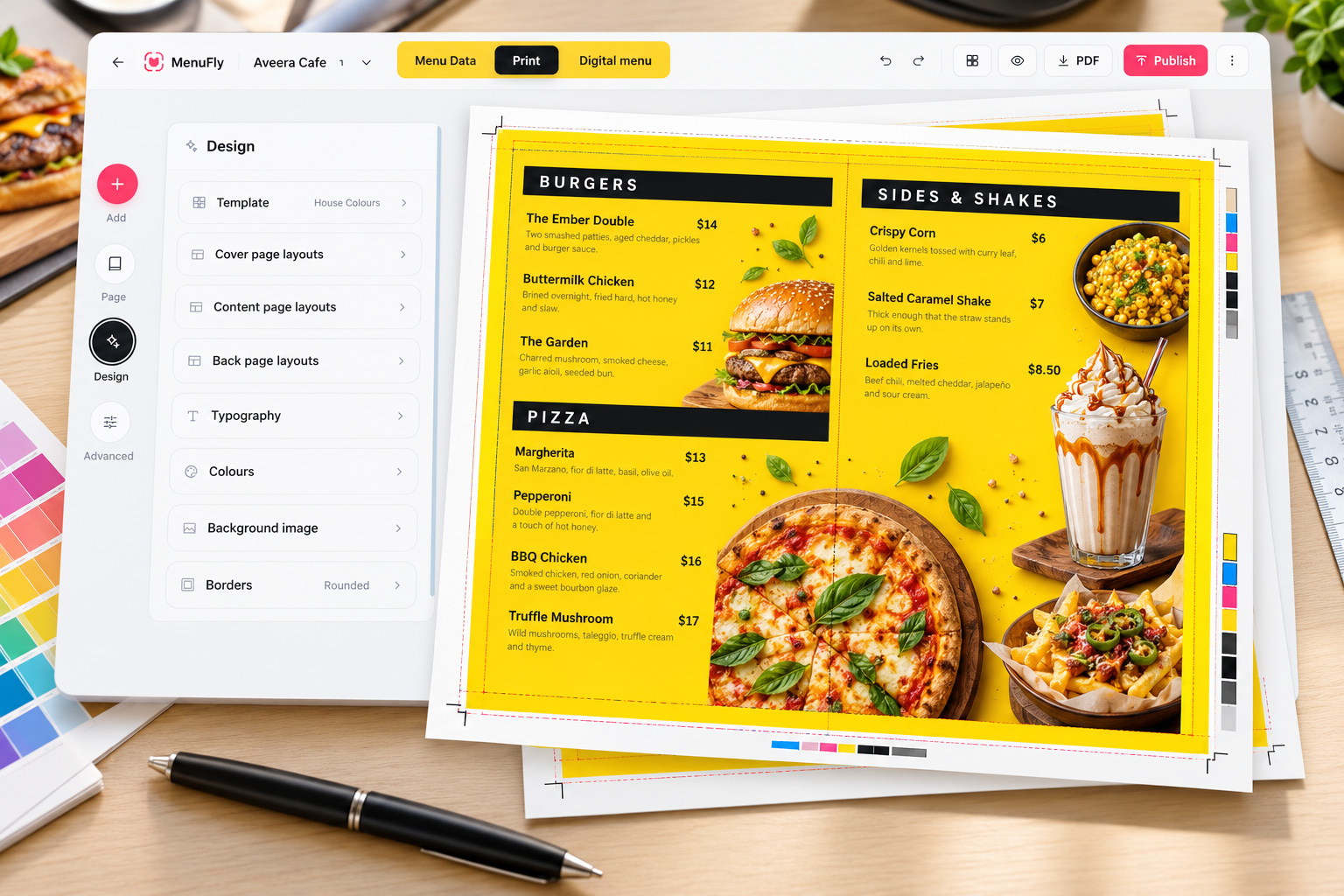
MenuFly’s print-focused workflow is designed to help address these practical requirements when exporting menu PDFs.
What makes a menu PDF print-ready?
Before sending your restaurant menu to a printer, check the following:
| Printing requirement | Why it matters |
|---|---|
| Correct page size | Ensures the design fits the intended menu format. |
| High-resolution images | Helps prevent food photographs from looking blurry. |
| Bleed | Extends background artwork beyond the trim edge to reduce white edges after cutting. |
| Crop marks | Help the printer identify the intended cutting boundaries. |
| Embedded fonts | Reduce the risk of fonts being substituted on another computer. |
| Colour management | Helps minimise unexpected differences between screen and printed colours. |
| Safe margins | Keep prices and important text away from the cutting edge. |
| Correct page order | Ensures booklet pages appear in the intended sequence. |
For commercial printing, a resolution of 300 DPI at the final image size is a common target. A 3 mm bleed is also common, although your printer’s specifications should always take priority.
MenuFly provides print-oriented PDF export options, including supported sizes and layouts, with features such as bleed, crop marks and embedded fonts. Available export formats and options depend on the plan and output selected.
Read more about MenuFly’s print-ready menu maker.
How to avoid wasting money on menu printing
Our experience in design and printing has taught us that the cheapest print price is not always the cheapest overall solution.
Consider these practical steps:
- Choose the right material: A high-end leather folder may suit a fine-dining restaurant, while a durable laminated sheet may be more economical for a busy takeaway counter.
- Avoid unnecessarily large menus: Every additional page can increase printing, binding and replacement costs.
- Keep the layout readable: Small text may allow you to fit more dishes on a page, but it can make the menu difficult for customers to use.
- Confirm the final proof: Check dish names, prices, spelling, page order and photographs before approving a print run.
- Plan for price changes: Use replaceable inserts or separate pages for information that changes frequently.
- Ask your printer for specifications: Confirm the paper size, bleed, colour requirements, binding method and quantity before exporting the final PDF.
The objective is not to remove quality from your menu. It is to spend money on the elements that improve durability, readability and the customer experience.
4. Use One Menu for Digital and Print
This is the central idea behind MenuFly.
Many restaurants maintain several versions of the same menu. The digital version may show a new price, while an older PDF remains on WhatsApp. The printed menu may still contain a discontinued dish.
These inconsistencies can confuse customers and create unnecessary work for staff.
A shared menu-management system offers a more straightforward approach.
| Task | Separate menu files | One connected menu |
|---|---|---|
| Change a dish price | Update each relevant file | Update the shared menu information |
| Publish a digital menu | Maintain a separate version | Use the published digital menu |
| Maintain a QR code | Check the destination and file | Keep the code linked to the live menu |
| Prepare a print version | Rebuild or edit another file | Regenerate the print PDF |
| Introduce a new dish | Repeat changes across formats | Add it once and use it in supported outputs |
There is one important distinction: updating a live digital menu does not physically change menus already printed and delivered to your restaurant. You must regenerate and print the revised PDF when paper copies need updating.
However, maintaining one source of menu information reduces duplication and helps keep future versions consistent.
A practical example
Imagine a restaurant with 30 menu items and 20 printed menus.
The owner changes four prices and introduces two new dishes. With separate files, someone may need to edit the design, update the digital menu, replace the PDF and check the QR destination.
With a connected workflow, the owner updates the menu information once, publishes the digital changes and generates a fresh print PDF when needed.
The amount of time saved depends on the menu’s complexity and how often it changes. But the operational benefit is clear: fewer duplicate files, fewer repeated edits and fewer opportunities for outdated information to reach customers.
5. Choose the Right Restaurant Menu Design Template
A restaurant menu should reflect the food, pricing, audience and atmosphere of the business.
A fine-dining restaurant, neighbourhood café and quick-service outlet have different needs. Choosing a template based only on colour or decoration can result in a menu that looks attractive but does not communicate information effectively.
When selecting a restaurant menu template, consider the following.
Fine-dining restaurants
Use restrained typography, generous spacing and a clear hierarchy. Premium paper and refined finishes can support the restaurant’s positioning, but readability should remain the priority.
Cafés and coffee shops
Make beverages easy to find. Organise hot and cold drinks separately, and use photographs selectively for signature beverages, desserts and popular food items.
Fast-food restaurants
Prioritise speed of navigation. Group burgers, pizzas, sides, combos and beverages clearly. Prices and available sizes should be easy to compare.
Bakeries
Organise products by category, such as breads, cakes, pastries, cookies and beverages. Include useful details such as portion sizes or ordering requirements where relevant.
Bars and pubs
Separate cocktails, spirits, beer, wine and non-alcoholic drinks. Make serving sizes and prices clear, and organise happy-hour offers so customers understand the applicable conditions.
MenuFly offers restaurant-oriented design templates that can be customised with your dishes, logo, brand colours, fonts and photographs. The aim is to provide a useful starting point without forcing every restaurant into the same visual style.
Browse the MenuFly restaurant menu maker to explore the available design options.
6. How Much Does It Cost to Create a Restaurant Menu?
The cost of a restaurant menu depends on the design complexity, number of pages, printing quantity, paper quality, binding and how frequently the menu needs updating.
There is no single price that applies to every restaurant.
For example, a small café with a one-page drinks menu has very different requirements from a hotel restaurant with several menu categories, custom photography and premium leather folders.
To understand the total cost, consider four components.
1. Initial design cost
A custom menu design may require a designer to organise the information, select typography, prepare layouts, adjust photographs and develop the visual identity.
2. Printing cost
Printing expenses depend on paper, size, finishing, binding, quantity and the printer’s production setup.
3. Revision cost
Frequent price changes and new dishes may require additional design time, particularly when the original files are difficult to edit.
4. Digital menu management
A digital menu platform may involve a subscription, depending on the features and service selected.
An illustrative cost comparison
The following figures are hypothetical examples in USD, not market averages or quotations. Actual costs vary by country, provider and project requirements.
| Expense | Traditional workflow | Connected menu workflow |
|---|---|---|
| Initial menu design | $150–$400 | Varies by platform and setup |
| Recurring design revisions | $20–$75 per update | Often reduced when you edit the menu yourself |
| Digital menu maintenance | May require separate work | Managed through the menu platform |
| Physical printing | Additional | Additional |
| QR code replacement after a price change | May be necessary with static file links | Usually unnecessary when the code points to the same live menu |
For example, suppose a restaurant pays $250 for its initial design and $40 for each subsequent revision. Six revisions would cost $240, bringing design expenditure to $490 before printing.
If the restaurant instead uses a suitable menu-making platform, some of those revision costs may be avoided. The restaurant would still need to account for the platform’s subscription, any setup work and physical printing.
This is why comparing only the initial design price can be misleading. Consider the total cost over a year, especially if your menu changes frequently.
Expert recommendation: If your restaurant changes prices or dishes regularly, prioritise a workflow that lets you make simple updates yourself. Reserve professional design support for major redesigns, brand development or more complex layouts.
7. Menu Design Mistakes That Can Affect Restaurant Sales
A menu is also a decision-making tool. The way dishes are organised, described and presented can influence what customers notice and how confidently they choose.
However, good design alone cannot guarantee higher sales. Food quality, pricing, service, location and customer preferences all play important roles.
Here are some practical design principles worth following.
Make the hierarchy obvious
Customers should be able to distinguish category headings, dish names, descriptions and prices quickly.
Use a consistent type scale and avoid giving every element equal visual importance.
Keep descriptions useful
Instead of writing a long paragraph for every dish, describe the ingredients, preparation style or distinctive qualities that help a customer make a decision.
For example:
Less informative: Paneer Pizza
More informative: Tandoori paneer, mozzarella, peppers and onions on a crisp pizza base.
Use accurate descriptions that reflect the dish you actually serve.
Use food photography selectively
Photographs can help customers understand unfamiliar dishes, especially in cafés, casual dining and delivery-focused businesses.
But too many photographs can make a menu crowded and visually inconsistent. Use clear, appetising images for selected signature dishes rather than treating every item as equally important.
Make prices easy to understand
Do not hide prices in an attempt to force customers to spend more. Present prices consistently, indicate serving sizes where necessary and clearly explain applicable taxes or additional charges.
Test the menu at its actual size
A design that looks perfect on a large monitor may be difficult to read when printed as an A5 booklet or displayed on a phone.
Review the menu on both a real phone and a printed proof before publishing or ordering a large print run.
8. Use Menu Updates to Improve Restaurant Operations
A menu should not be treated as a document that is created once and forgotten.
Restaurants change their offerings for many reasons: ingredient availability, seasonal demand, revised supplier prices, special events and customer feedback.
A useful menu-management routine can make these changes easier to handle.
Daily updates
- Mark unavailable dishes appropriately.
- Publish the day’s specials.
- Check time-specific menus and offers.
- Verify that important prices are correct.
Weekly reviews
- Review which items customers frequently view.
- Check whether descriptions are accurate.
- Review featured dishes and combinations.
- Remove expired offers.
Periodic reviews
- Review ingredient costs and menu pricing.
- Check whether categories remain useful.
- Retire dishes that no longer fit the menu.
- Review printed materials for wear and outdated information.
Where analytics are available, use them as one input rather than treating views as proof of sales. A popular item in the menu may attract attention without necessarily generating the highest profit.
MenuFly includes menu analytics and tools for highlighting selected dishes and offers on supported plans. These features can help restaurant owners understand menu activity and organise their offerings more effectively.
9. Is a Digital Menu Better Than a Printed Menu?
Neither format is automatically better for every restaurant.
A digital menu is useful when information changes frequently, customers prefer browsing on their phones, or the restaurant wants to share its menu through links and QR codes.
A printed menu is useful when guests prefer paper, the restaurant wants a tactile presentation, or the menu is part of the overall dining experience.
The most practical choice for many restaurants is a combination of both.
| Requirement | Digital menu | Printed menu |
|---|---|---|
| Change prices quickly | Excellent | Requires a revised print or insert |
| Access through a QR code | Yes | Requires a code or link for digital access |
| Share through WhatsApp | Easy with a menu link | Possible with a photo or PDF |
| Premium physical presentation | Limited by the screen | Excellent with suitable materials |
| Read without a phone | No | Yes |
| Update without replacing the physical item | Yes | No |
| Support detailed mobile navigation | Excellent when well designed | Depends on the printed layout |
A QR code should be an additional way to access your menu, not a reason to ignore guests who prefer traditional service.
MenuFly’s approach is to connect the two formats. You can publish the menu digitally and generate a matching PDF when you need physical copies.
10. How to Create a Restaurant Menu Online With MenuFly
If you want to simplify menu creation, start with your existing menu rather than rebuilding everything immediately.
A practical workflow looks like this:
Step 1: Prepare your menu content
Collect your current dishes, categories, descriptions, prices, photographs and logo. Verify the information before importing it.
Step 2: Add your menu to MenuFly
Build the menu using the online editor or start with an existing menu file where supported. Review the imported information carefully to catch errors in dish names, prices and categories.
Step 3: Choose and customise a design
Select a suitable template and adjust your branding, colours, fonts, layout and food photography.
Step 4: Review the digital version
Open the menu on an actual phone. Check category navigation, readability, prices and image loading.
Step 5: Publish and share
Publish the digital menu and make it accessible through a QR code or direct link. Place the code where customers can scan it comfortably.
Step 6: Generate the print-ready PDF
Select the appropriate size and layout for your physical menu. Review the PDF and confirm your printer’s production requirements before ordering.
Step 7: Maintain one source of information
When dishes or prices change, update the shared menu information, publish the digital version and regenerate the print PDF when necessary.
You can start with the MenuFly online menu maker and explore its digital menu features at MenuFly Digital Menu.
Who Should Use MenuFly?
MenuFly is designed for food businesses that need to create or maintain professional menus without managing multiple disconnected versions.
It can be useful for:
- Restaurants that need digital menus alongside printed menus.
- Cafés with changing drinks, snacks and seasonal specials.
- Bakeries that update product availability and daily offerings.
- Pizzerias with multiple sizes, toppings, combinations and add-ons.
- Bars and pubs with different drink categories and time-based offers.
- Hotel restaurants that need a more polished presentation and structured menu management.
- Multi-outlet businesses that want to manage menus and pricing for different locations through supported multi-branch features.
The best fit depends on your menu complexity, update frequency, preferred printing formats and the features included in the plan you choose.
Frequently Asked Questions
What is the best online restaurant menu maker?
The best restaurant menu maker depends on your requirements. Look for an easy editing workflow, professional templates, mobile-friendly publishing, QR code support and reliable print exports if you need physical menus. MenuFly is designed to connect digital menus, QR access and print-ready PDFs in one workflow.
Can I create a restaurant menu for free?
Some online menu makers provide free access or trials, while advanced features may require a paid plan. Check the current plan details before starting. You should also consider whether the platform supports the formats and features your restaurant actually needs.
Can I create both a digital menu and a printable PDF?
Yes. MenuFly is designed to generate a digital menu and a print-ready PDF from the same menu information. This helps reduce duplicated work when maintaining both formats.
How does a QR code menu work?
A restaurant publishes a digital menu online and places its QR code on tables, posters or other materials. Customers scan the code with their phone camera and open the menu in a browser. When the code points to a live menu URL, the restaurant can update the menu without replacing the code.
Do I need graphic design experience to use an online menu maker?
Not necessarily. Templates and structured editing tools can help restaurant owners create a menu without manually designing every page. However, you should still review readability, spelling, prices, image quality and the final printed result.
What size should a restaurant menu be?
Common choices include A4 and A5 sheets, folded menus, booklets and custom sizes. The right choice depends on the amount of content, dining environment, menu-folder dimensions and printing budget. Confirm the final dimensions with your printer before producing a large quantity.
How can I reduce restaurant menu printing costs?
Keep the menu concise, choose materials suited to your restaurant, confirm the print specifications, proofread before printing and plan for future updates. Replaceable inserts can be economical when only a few prices change. A digital menu can also reduce the need to reprint information that customers access online.
Can I update my menu after publishing it?
Yes. With MenuFly, you can update your menu information and publish the digital changes. When you need physical copies with the revised information, regenerate the print PDF and arrange a new print run.
Is MenuFly suitable for cafés and small restaurants?
MenuFly is designed for restaurants, cafés and other food businesses that need a convenient way to manage digital and printed menus. The suitability of individual features depends on the business’s requirements and selected plan.
Can I use the same menu across multiple restaurant branches?
MenuFly supports multi-branch menu management on its Pro plan. This can be useful for businesses that need separate outlet menus or pricing while managing them through one account. Confirm your requirements against the current plan details.
The Future of Restaurant Menus: Better Design, Less Repeated Work
Restaurant menus will continue to take different forms. Printed booklets, laminated sheets and premium leather folders remain valuable in many dining environments. Digital menus, QR codes and online sharing offer additional convenience and flexibility.
The opportunity is not necessarily to replace one format with another. It is to connect them intelligently.
A restaurant should not have to rebuild its menu every time it changes a price. A digital menu should not feel like an unreadable document squeezed onto a phone screen. And a print-ready file should not require repeated technical corrections before a printer can use it.
At Aveera Design Solutions, our experience in menu design and printing helped us recognise these everyday challenges. MenuFly is our effort to bring those lessons into a practical online tool that helps restaurant owners manage their menus more efficiently.
Create your menu once. Publish it digitally. Share it through a QR code. Print it when you need it.
That is the thinking behind MenuFly.
Start Creating Your Restaurant Menu
Visit MenuFly.app to explore the online menu maker, discover restaurant menu templates and learn how digital menus and print-ready PDFs can work together.
For more information about the team behind the platform, visit Aveera Design Solutions.
About Aveera Design Solutions
Aveera Design Solutions is a design and printing company with more than 15 years of experience in graphic design, restaurant menu design, printing and visual branding. MenuFly is a product developed from that experience, with the goal of making professional restaurant menu creation and ongoing menu management more accessible.